Workout tracker for iPhone

Log your workout the better way.

Your last weights are already filled in. Tap once to log a set, and the rest timer starts on its own. Records are spotted automatically.
Free to start One-time Pro, no subscription No account needed
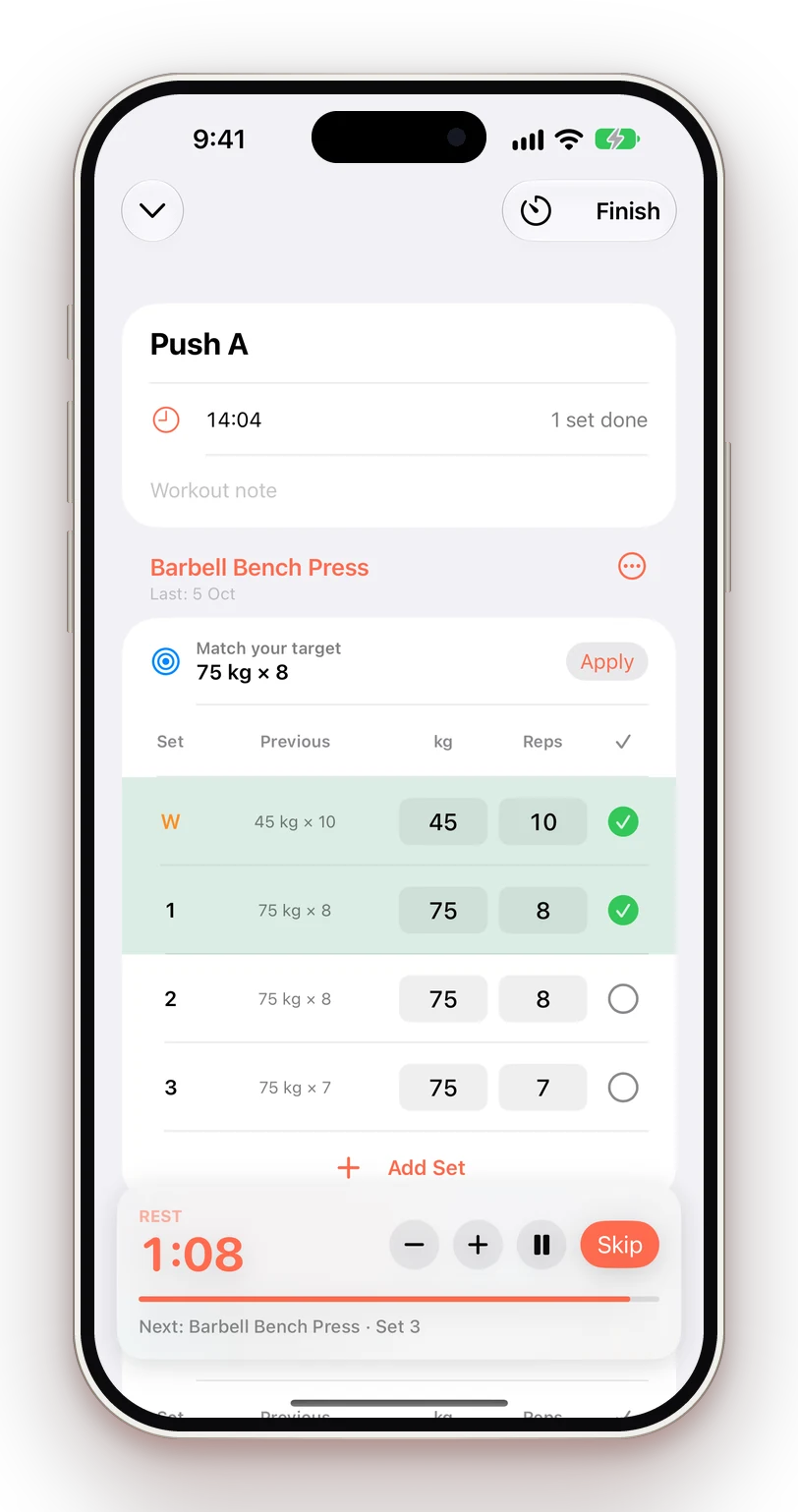
GymPing logging a bench press workout with the rest timer running
75 kg × 8Pre-filled from last time
Rest 1:08Next: Bench Press · Set 3
New PRBack Squat · 95 kg
Why GymPing

Built for the middle of a set.

Every screen is designed for sweaty hands and short rests. Fewer taps, clearer numbers, no distractions.

One-tap logging

Weights and reps from your last session are pre-filled. Check the set and you're done.

Rest timer that follows you

Starts automatically and lives on your Lock Screen and Dynamic Island.

Automatic PRs

Weight, reps, estimated 1RM, time and distance records, spotted as they happen.

Schedules that adapt

Rotate Push → Pull → Legs on your training days. Miss a day and nothing gets skipped.

Progress you can read

Weekly volume per muscle against smart targets, strength charts and a training calendar.

Private by default

No account, no tracking, no ads. Your data stays on your iPhone.

Plan

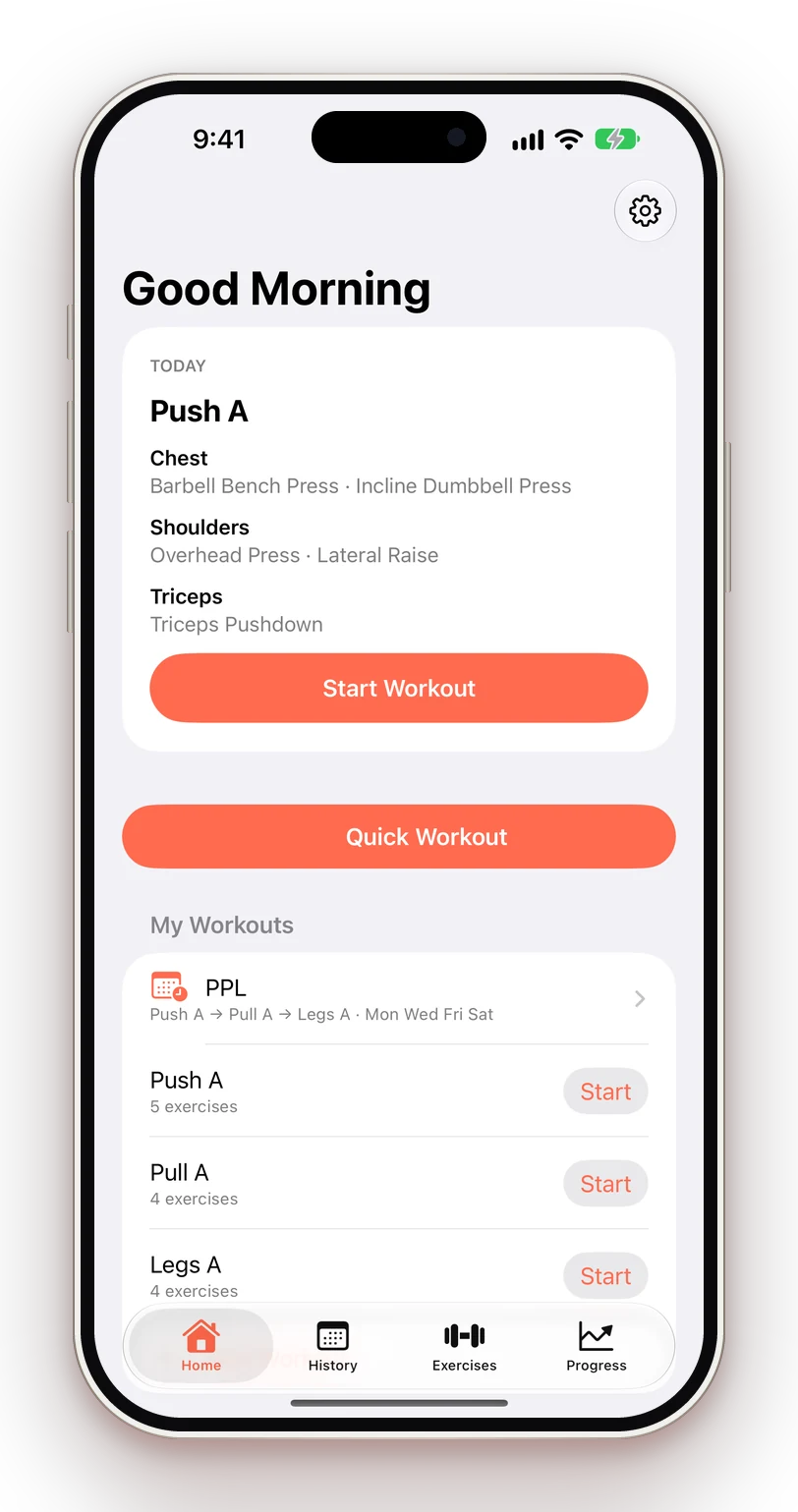
Today's workout, ready to go.

Save the workouts you repeat and put them on a schedule. Home tells you what's next — or that it's a rest day.
  • Rotation or fixed weekdays
  • Supersets and drop sets
  • Update a saved workout from what you actually did
GymPing home screen showing today's Push A workout
Progress

Know exactly what you trained.

See your weekly volume per muscle against targets based on your goal and experience, so gaps are obvious.
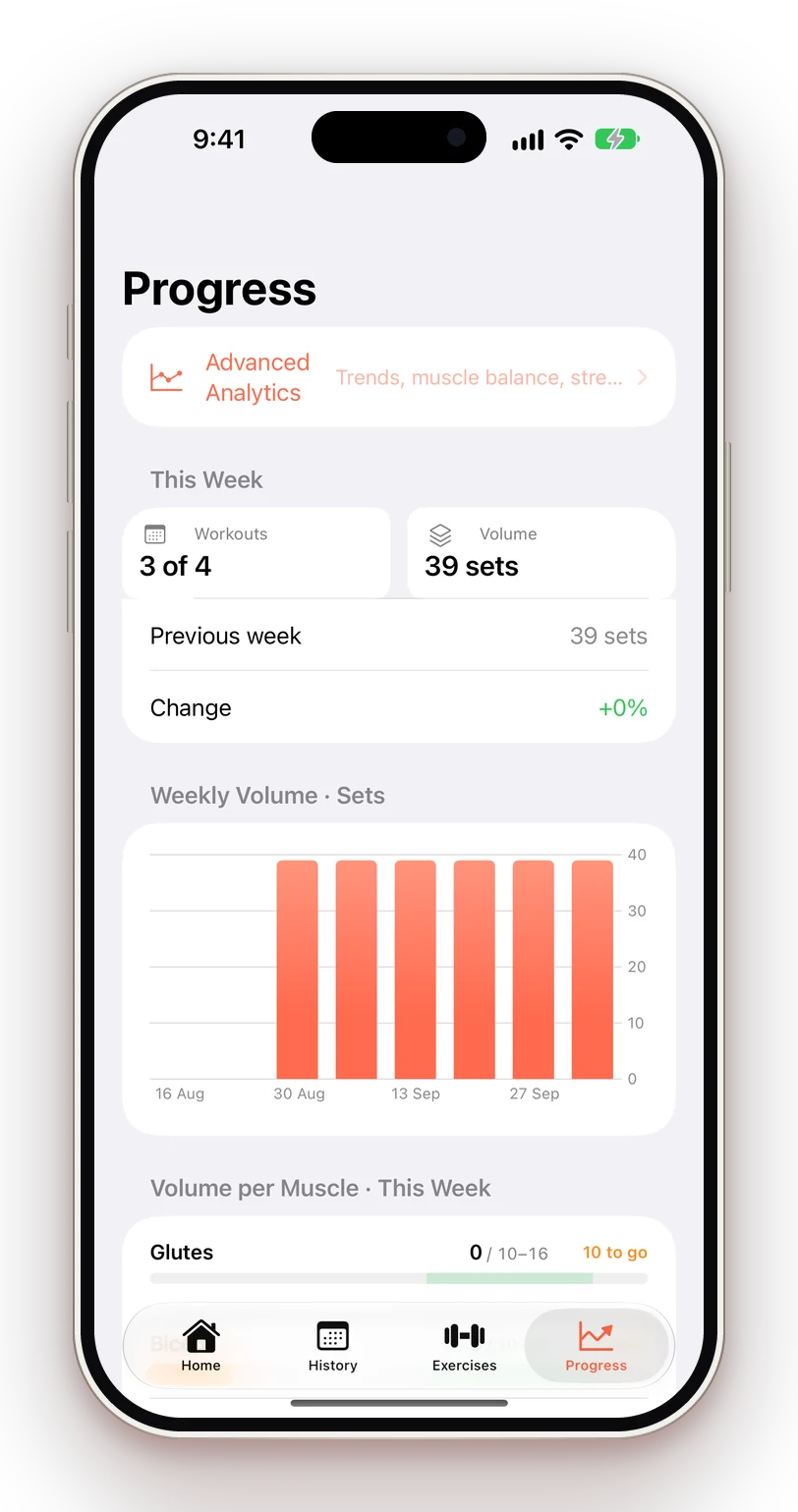
  • Volume measured in working sets
  • Strength trends with estimated 1RM
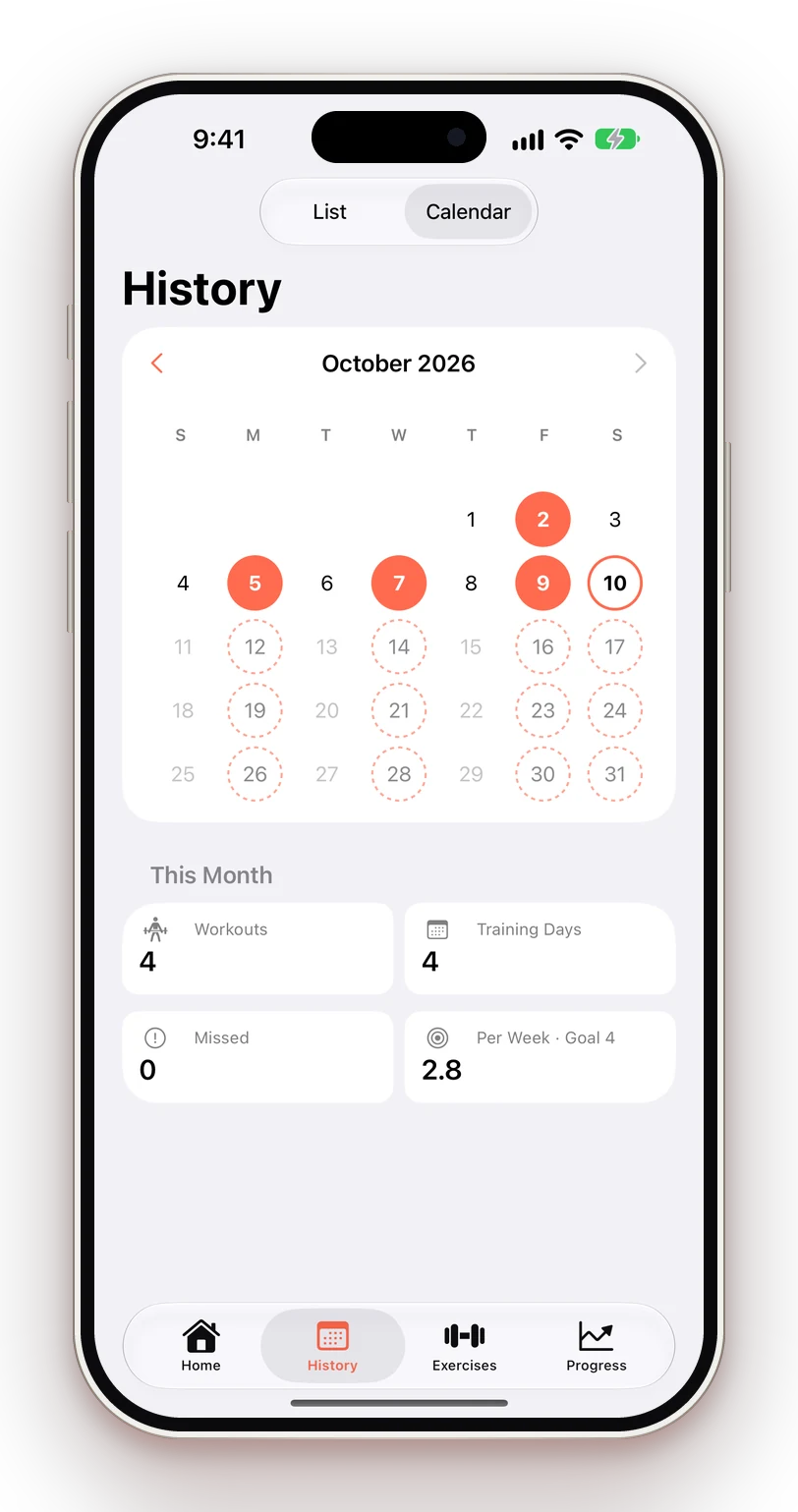
  • Calendar with streaks and weekly goal
GymPing progress screen with weekly volume chart
Records

Every PR, spotted.

Finish a workout and see what you beat. Fix a typo in a past workout and records recalculate on their own.
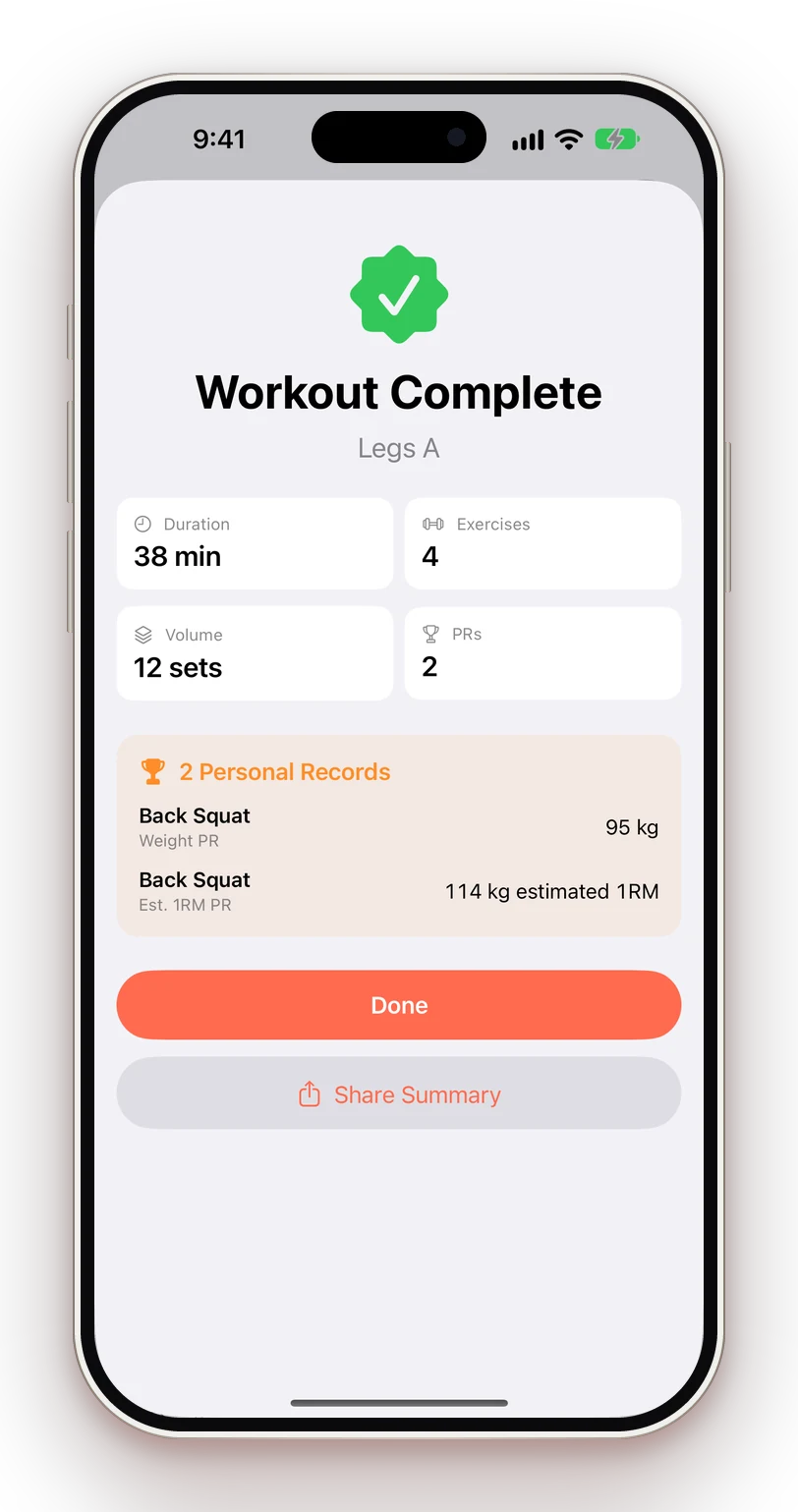
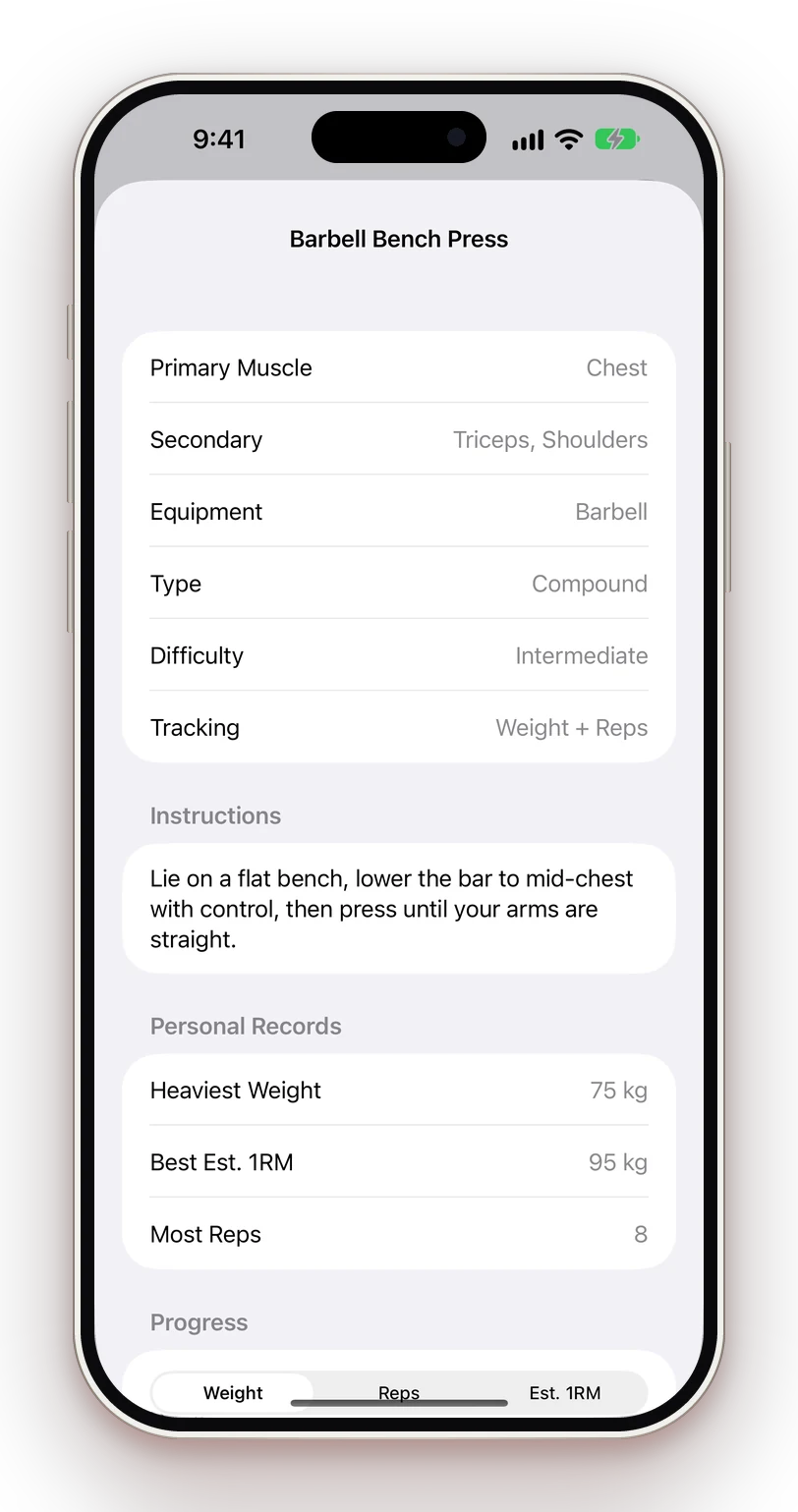
  • Weight, rep and estimated 1RM PRs
  • Duration and distance PRs for cardio
  • Share your summary in one tap
GymPing workout summary with two personal records
A closer look

Clean screens. Real numbers.

Logging a workout
Log a set
Home with today's plan
Today's plan
Workout summary
Summary & PRs
Weekly progress
Weekly volume
Exercise history
Exercise history
Training calendar
Calendar
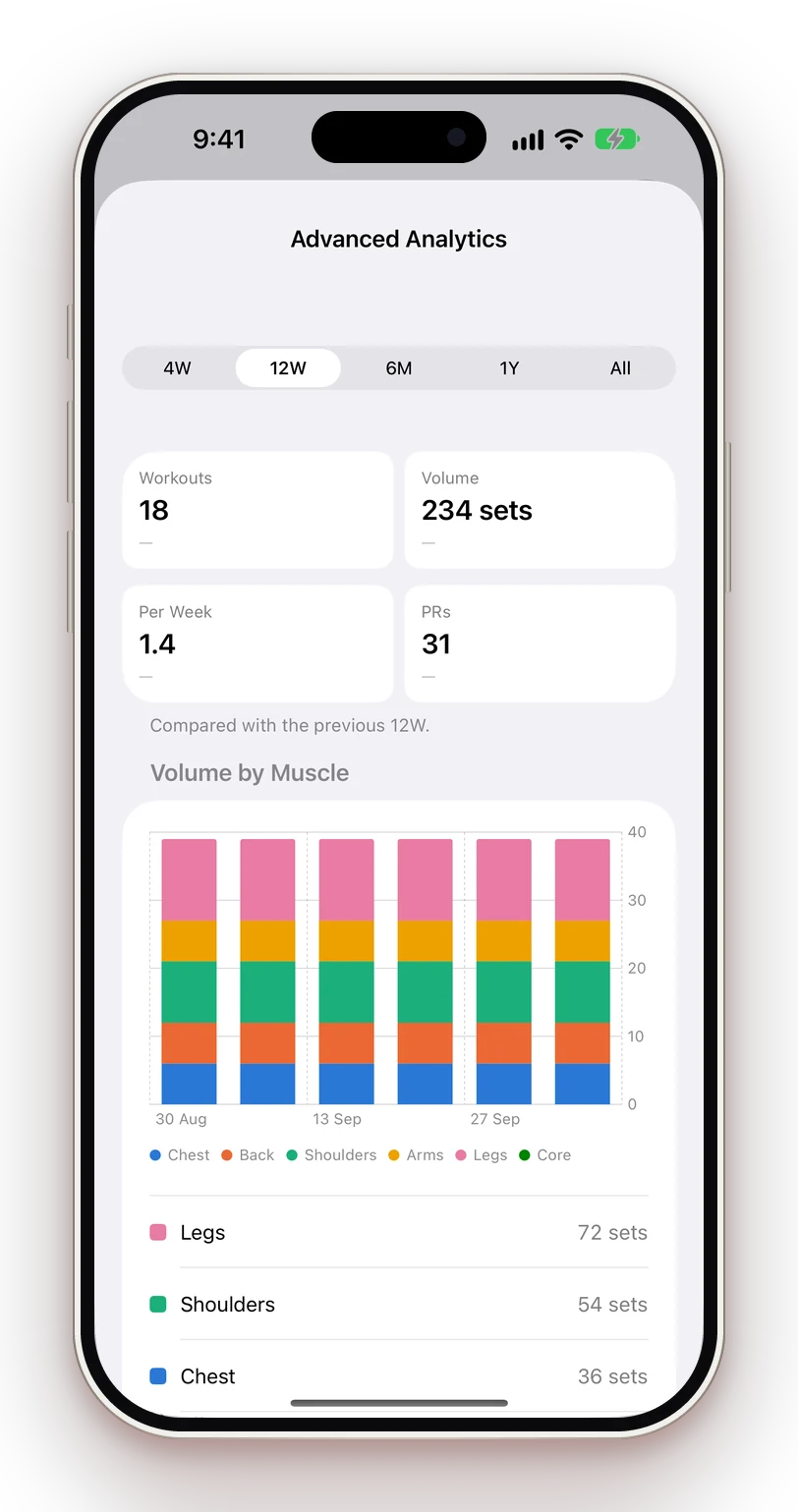
Advanced analytics
Analytics (Pro)
How it works

Three steps. Then just lift.

Tell it how you train

Goal, experience, training days and equipment. Skip it if you like — it takes 20 seconds.

Start a workout

Pick a saved workout, today's scheduled one, or start a quick workout and add exercises as you go.

Tap, rest, repeat

Check off each set, follow the rest timer, and finish to see your records and volume.

Pricing

Free to start. Pro, once.

No subscription. Upgrade only if you want deeper analytics, body tracking and sync. Compare plans

Free

Everything you need to train

Free
No account, no ads, no time limit.
  • One-tap set logging with previous weights pre-filled
  • Rest timer on the Lock Screen and Dynamic Island
  • 290+ exercises with instructions
  • Automatic personal records
  • 1 schedule and up to 6 saved workouts
  • History, calendar and weekly volume targets
  • Next Workout widget
  • Free CSV export
GymPing Pro

Go deeper. Pay once.

One-time
No subscription. Price shown in the App Store.
  • Unlimited saved workouts and multiple schedules
  • Custom exercises
  • Advanced analytics: volume by muscle, balance, strength trends
  • Body measurements and private progress photos
  • Body weight trends, body fat and goal
  • iCloud sync and backup across devices
  • This Week and Lift Progress widgets
Questions

Good to know

Is GymPing free?

Yes. Logging, the rest timer, PRs, history, schedules and CSV export are free forever. GymPing Pro is a one-time purchase for deeper analytics, body tracking, iCloud sync and more.

Do I need an account?

No. There's no sign-up. Your data stays on your iPhone, and Pro users can sync through their own private iCloud.

Does it work offline?

Completely. GymPing never needs a connection to log a workout.

Which units does it support?

Kilograms or pounds, and kilometres or miles — set automatically from your region and changeable any time.

More answers in Support →

Your next set is one tap away.

Download GymPing for iPhone. Free to start, with a one-time upgrade when you want more.